> For the complete documentation index, see [llms.txt](https://tailwindsdocs.innovativesol.com/llms.txt). Markdown versions of documentation pages are available by appending `.md` to page URLs; this page is available as [Markdown](https://tailwindsdocs.innovativesol.com/readme/use-cases/webhook-tool.md).
# Calling Webhook
Learn how to call a webhook on Make
***
In this use case tutorial, we are going to create a custom tool that will be able to call a webhook endpoint, and pass in the necessary parameters into the webhook body. We'll be using [Make.com](https://www.make.com/en) to create the webhook workflow.
## Make
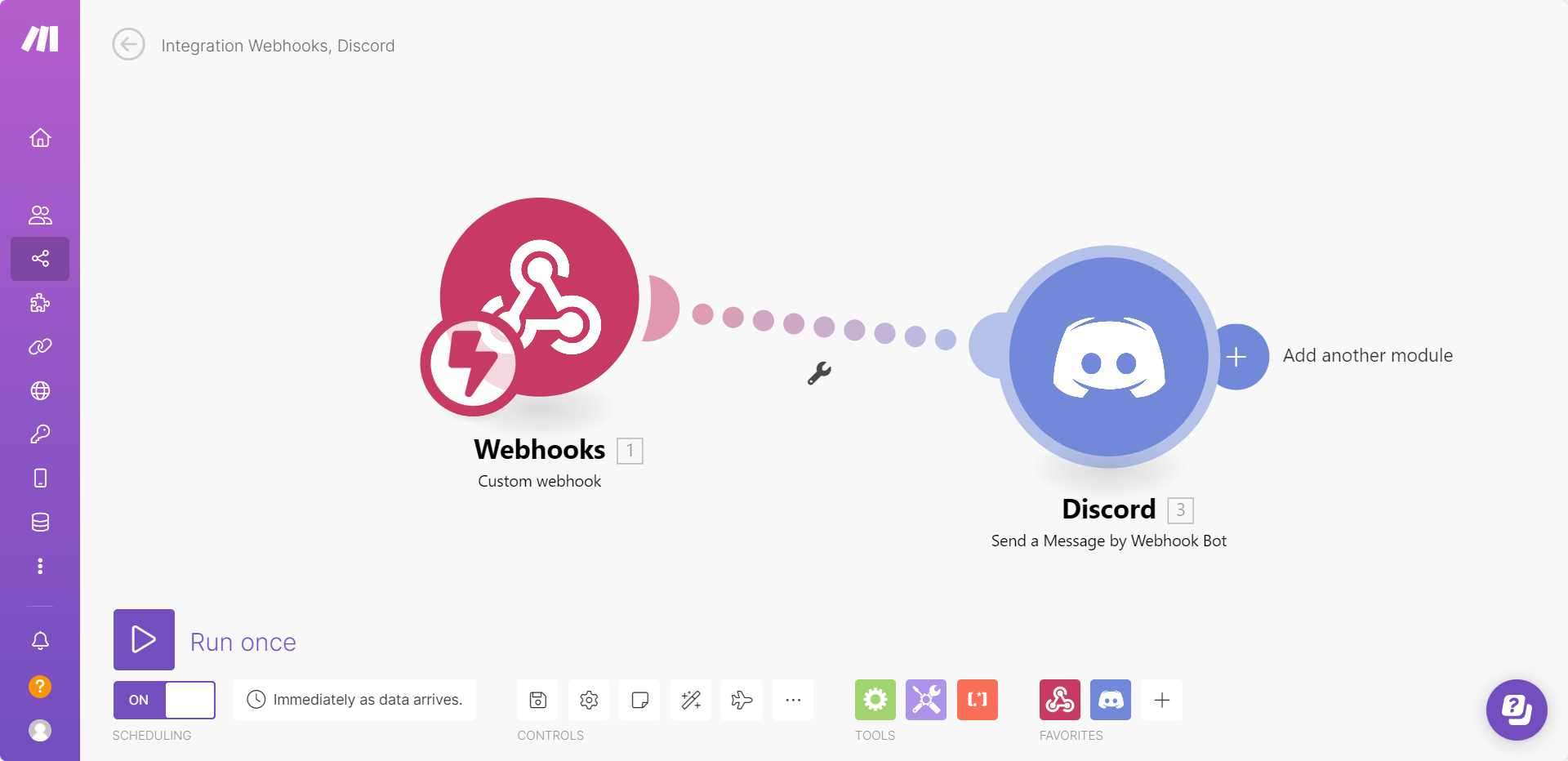
Head over to Make.com, after registering an account, create a workflow that has a Webhook module and Discord module, which looks like below:
From the Webhook module, you should be able to see a webhook URL:
From the Discord module, we are passing the `message` body from the Webhook as the message to send to Discord channel:
To test it out, you can click Run once at the bottom left corner, and send a POST request with a JSON body
```json
{
"message": "Hello Discord!"
}
```
You'll be able to see a Discord message sent to the channel:
Perfect! We have successfully configured a workflow that is able to pass a message and send to Discord channel [🎉 ](https://emojiterra.com/party-popper/)[🎉](https://emojiterra.com/party-popper/)
## Tailwinds
In Tailwinds, we are going to create a custom tool that is able to call the Webhook POST request, with the message body.
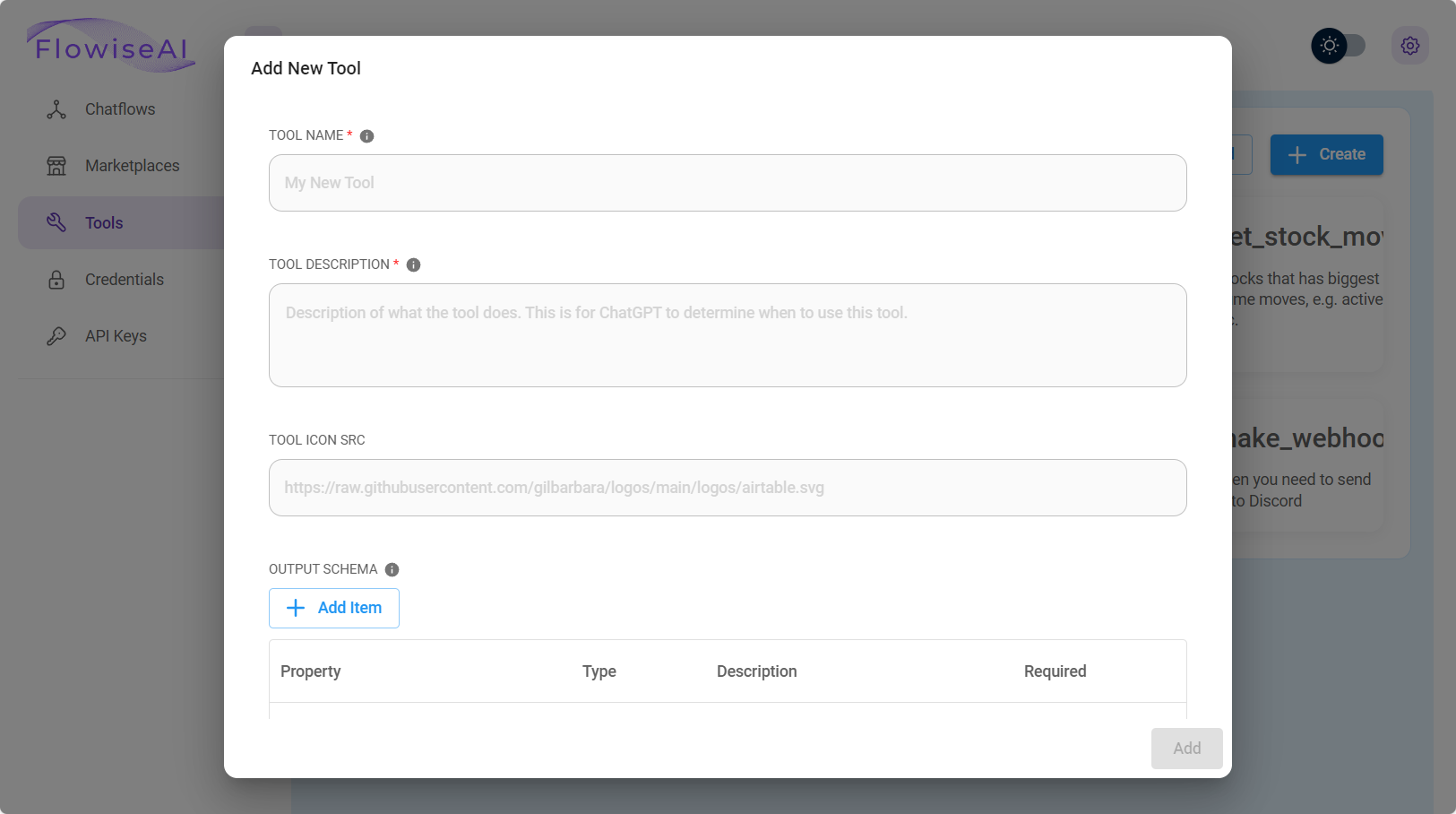
From the dashboard, click **Tools**, then click **Create**
We can then fill in the following fields (feel free to change this according to your needs):
* **Tool Name**: make\_webhook (must be in snake\_case)
* **Tool Description**: Useful when you need to send message to Discord
* **Input Schema**:
* **JavaScript Function**:
```javascript
const fetch = require('node-fetch');
const webhookUrl = 'https://hook.eu1.make.com/abcdef';
const body = {
"message": $message
};
const options = {
method: 'POST',
headers: {
'Content-Type': 'application/json'
},
body: JSON.stringify(body)
};
try {
const response = await fetch(webhookUrl, options);
const text = await response.text();
return text;
} catch (error) {
console.error(error);
return '';
}
```
Click **Add** to save the custom tool, and you should be able to see it now:
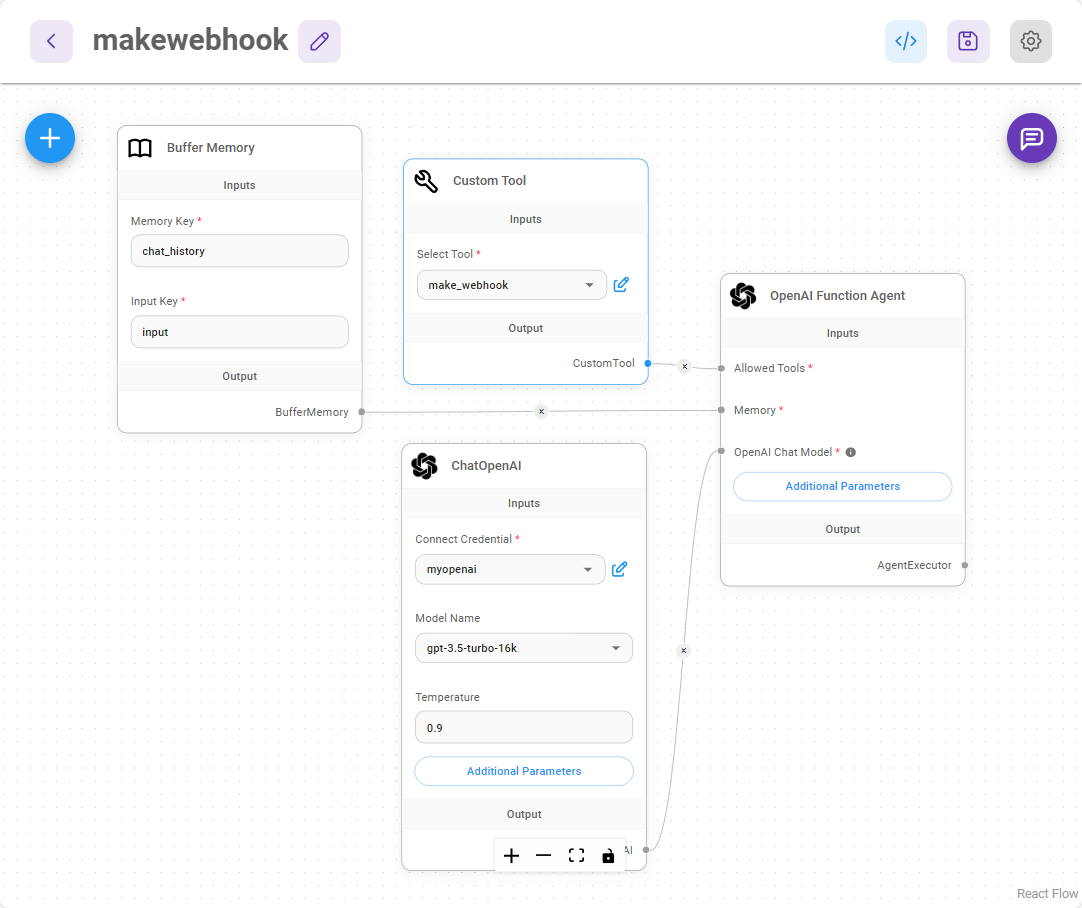
Now, create a new canvas with following nodes:
* **Buffer Memory**
* **ChatOpenAI**
* **Custom Tool** (select the make\_webhook tool we just created)
* **OpenAI Function Agent**
It should looks like below after connecting them up:
Save the chatflow, and start testing it!
For example, we can ask question like *"how to cook an egg"*
Then ask the agent to send all of these to Discord:
Go to the Discord channel, and you will be able to see the message:
That's it! OpenAI Function Agent will be able to automatically figure out what to pass as the message and send it over to Discord. This is just a quick example of how to trigger a webhook workflow with dynamic body. The same idea can be applied to workflow that has a webhook and Gmail, GoogleSheets etc.
You can read more on how to pass chat information like `sessionId`, `flowid` and `variables` to custom tool
.png?alt=media)
.png?alt=media)
.png?alt=media)
.png?alt=media)
.png?alt=media)
.png?alt=media)
.png?alt=media)
.png?alt=media)
.png?alt=media)